Yes, CRM software can integrate with NetSuite without custom code when a prebuilt connector supports your required records, sync directions, and business rules. You still need configuration, permissions, field mapping, and testing; in 2026, no custom code does not mean no implementation work.
- Can CRM software integrate with NetSuite? Yes, when a prebuilt connector covers the required workflow.
- NetSuite integration requires field mapping, permissions, record ownership, and exception handling even without custom code.
- Manufacturers should test quoting and order entry, not just customer contact synchronization.
- Choose configuration over custom development only after proving the complete CRM-to-ERP workflow.
Can CRM software integrate with NetSuite without custom work?
Yes, without custom development; no, not without setup. A packaged connector or configurable integration platform can connect CRM records with NetSuite records through supported interfaces. Whether that approach covers your business depends on what you need the integration to do.
Separate customer-data synchronization from transaction processing. Copying an account name into a CRM is a different requirement from creating a sales order with the correct customer, items, quantities, and approval status.
| Integration approach | Best for | Advantage | Limitation |
|---|---|---|---|
| Prebuilt connector | Workflows covered by documented connector mappings | Starts with an existing integration structure | Supported records and rules define its boundaries |
| Configurable integration platform | Workflows needing additional mappings and routing | Lets you assemble supported integration steps | Requires someone to maintain configuration and exceptions |
| Custom integration | Requirements outside supported connector behavior | Gives developers control over specific business logic | Requires development, testing, and ongoing maintenance |
Do not select an approach from this table alone. Ask the provider to demonstrate your required transaction using representative records, then inspect the result inside NetSuite.
Why this matters for industrial sales
Manufacturers and distributors need more than shared contact details. Sales teams work with customer-specific terms, item identifiers, quoting requirements, and order changes; the integration scope must identify which of those details belong in the CRM and which remain controlled by the ERP.
Supplyco provides revenue operations automation for industrial quoting, order entry, account management, and sales follow-up. Those are relevant workflow areas to evaluate, but a platform description is not proof that a particular NetSuite integration supports your required records or rules.
For a 2026 integration decision, define the operational outcome before reviewing connector features. If the objective is to stop rekeying approved orders, contact synchronization alone does not satisfy it.
Judge the integration by the completed transaction, not by whether the systems connect. A successful connection confirms access; an accepted, correctly mapped order confirms the workflow you actually need.
Prebuilt connectors: best for supported workflows
A prebuilt connector is the first approach to evaluate when its documented scope matches your CRM and NetSuite requirements. Ask for the supported record types, available fields, sync directions, and prerequisites. Product names alone are not enough.
Your evaluation should distinguish between standard connector behavior and additional implementation work. A provider demonstrating an existing customer sync has not demonstrated a quote-to-order workflow, custom-field mapping, or recovery after a rejected transaction.
The advantage is a defined starting point. The limitation is equally clear: a connector does not automatically support every record or business rule simply because both systems expose integration interfaces.
Recommendation: choose a prebuilt connector when your required workflow fits its supported configuration. Ask the provider to show that fit rather than accepting a general claim of compatibility.
Configurable integration platforms: best for mapped workflows
A configurable integration platform is an option when you need to combine supported connections with field transformations, conditional routing, or multiple workflow steps. Treat this as configuration work, not as an absence of technical responsibility.
For example, your requirement might be to create an ERP customer only after the CRM account reaches an approved status. The evaluation should show where that condition is configured, how the customer identifier returns to the CRM, and what happens if creation fails.
The advantage is flexibility within the platform's supported capabilities. The limitation is ownership: someone must understand the mappings, monitor failures, and review changes when either system's configuration changes.
Recommendation: choose configurable integration when your rules fit supported platform functions and you have a named configuration owner. Escalate unsupported requirements before implementation begins.
Custom integrations: best for unsupported requirements
Custom development belongs in the discussion when a required record, transformation, or transaction sequence falls outside supported connector behavior. NetSuite provides integration interfaces, including SuiteTalk web services, but interface access does not supply your business logic.
Define the unsupported requirement precisely. A missing field mapping, a special approval condition, and a transaction type outside the connector's scope are different problems; each deserves a separate assessment.
The advantage of custom development is control over the required logic. The limitation is maintenance responsibility, including permissions, error handling, testing, and compatibility with system changes.
Recommendation: commission custom work only for a documented gap that configuration cannot cover. Do not build a custom integration merely because your company uses custom fields; first verify whether the selected connector supports them.
Why the need for custom work varies
Your 2026 assessment should follow the actual quoting and order-entry workflow. These factors determine what the integration must support:
- Record scope: List the customers, contacts, items, quotes, orders, and other records the workflow needs. Verify each required record against the connector's documentation.
- Field mapping: Identify required fields, custom fields, accepted values, and transformations. A supported record is not proof that every required field is supported.
- System ownership: Decide which system controls each field. Prevent an unrestricted sync from overwriting ERP-controlled information with CRM edits.
- Business rules: Document approval conditions, account restrictions, and transaction checks. Identify where each rule runs before a record is accepted.
- Sync behavior: Specify direction, trigger, update behavior, and failure recovery. Read access and write access are separate requirements.
- Exception handling: Define who resolves rejected records and how corrected transactions are resubmitted without creating duplicates.
These are evaluation criteria, not reasons to assume custom development is necessary. A supported configuration can satisfy a requirement; a documented gap determines whether additional work is needed.
How do you verify a no-code NetSuite integration?
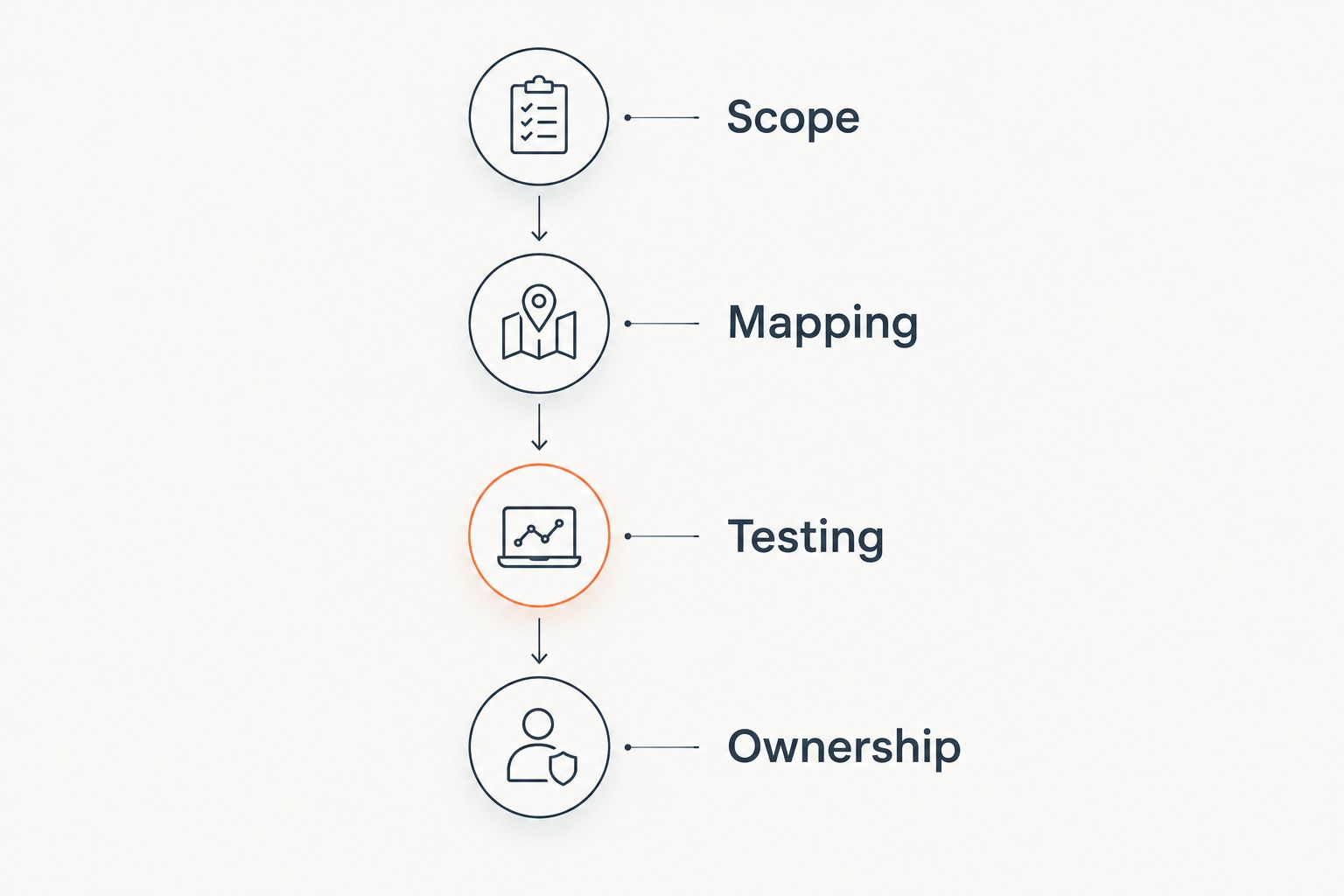
Use 4 evaluation stages: scope, mapping, testing, and ownership. This is a recommended acceptance sequence, not a claim about implementation duration.
1. Scope
Write the workflow in operational terms. For example: an approved CRM opportunity supplies the information required to create a NetSuite sales order, and the ERP order identifier returns to the CRM.
Specify the starting event, required records, and completion condition. Keep inventory visibility, account creation, and order creation as distinct requirements even when they sit within the same sales process.
2. Mapping
Build a field-level mapping sheet. Include the source field, destination field, transformation, required value, and system of record.
Use persistent identifiers to match records rather than relying only on customer names. Ask how the integration links an existing account, creates a new account, and handles a record whose identity is unclear.
3. Testing
Test the transaction with representative customer and item records. Include both accepted and rejected inputs, then compare the destination record with the intended result.
Check the full sequence, not just the initial write. Verify returned identifiers, subsequent updates, failure messages, and resubmission behavior before approving production use.
4. Ownership
Name the people responsible for mapping changes, access permissions, and failed transactions. Set an escalation path before the integration handles live orders.
Separate business approval from technical administration. Your sales operations owner defines acceptable workflow behavior; your system administrator controls the access and configuration needed to implement it.
What should a connector demonstration prove?
A connector demonstration should prove 3 transaction outcomes: successful creation, controlled rejection, and safe recovery. Request these outcomes as acceptance tests, not as a vendor performance benchmark.
| Acceptance test | What to inspect | What a pass requires |
|---|---|---|
| Successful creation | Destination customer or order record | Required fields and identifiers match the intended transaction |
| Controlled rejection | Failed transaction and visible error | Invalid input does not become an accepted order |
| Safe recovery | Corrected record and resubmission result | The transaction completes without an unintended duplicate |
Ask the provider to use a customer with an existing ERP identifier and another customer requiring account creation. Include an invalid item reference so the demonstration exposes the failure path rather than showing only a clean example.
Request evidence from both systems. A CRM success message is not enough if the NetSuite record has missing line details, incorrect relationships, or an unexpected status.
Your 2026 acceptance criteria should describe observable results. Replace vague requirements such as automatic synchronization with statements identifying what changes, where it changes, and how you confirm completion.
What belongs in the CRM, and what belongs in NetSuite?
Assign 2 accountable owners for integration decisions: a sales operations owner and an ERP owner. That recommendation establishes responsibility; it does not prescribe your staffing structure.
Use the ownership discussion to settle field authority. Customer contact information, opportunity stages, item references, order identifiers, and transaction status need explicit rules rather than a blanket instruction to synchronize everything.
For each shared field, record which system accepts the original change and whether the other system can edit it. If both systems allow changes, define how conflicting edits are resolved before enabling that behavior.
Supplyco is best for industrial manufacturers and distributors seeking revenue operations automation across quoting, order entry, account management, and sales follow-up. Evaluate Supplyco's revenue operations automation against these same ownership rules; do not infer NetSuite compatibility or supported mappings from category positioning.
Does no-code integration mean you can skip technical setup?
No-code integration still requires technical setup. You need authorized access, appropriate permissions, agreed mappings, and tested workflow behavior before moving business records between the CRM and NetSuite.
Configuration is still implementation work. Ask who performs it, who approves it, and who maintains it after deployment; none of those responsibilities disappear when custom code is unnecessary.
Can a CRM create NetSuite orders automatically?
A CRM can initiate NetSuite order creation when the integration supports the required transaction and its fields. Confirm customer matching, item references, quantities, required values, and approval behavior in the proposed configuration.
Keep quote approval separate from order acceptance. An approved commercial proposal still needs to satisfy the destination system's transaction requirements before it becomes an accepted ERP order.
Is real-time synchronization necessary for every field?
Real-time synchronization is not necessary for every field. Define the required update timing from the business decision the field supports, then verify that the integration meets that requirement.
Inventory visibility and historical account reporting serve different decisions. For your 2026 scope, state the acceptable timing for each workflow instead of applying one synchronization requirement to every record.
FAQ
Can CRM software integrate with NetSuite without custom code?
Yes, CRM software can integrate with NetSuite without custom code when a prebuilt connector or configurable platform supports the required workflow. You still need permissions, mappings, configuration, and acceptance testing.
What's the best integration approach for a manufacturer?
A prebuilt connector is the first approach to evaluate when it supports the manufacturer's required records and business rules. Test quoting and order entry explicitly rather than assuming customer synchronization covers transactions.
Does a NetSuite connector automatically support custom fields?
A NetSuite connector does not automatically support every custom field. Verify the required field types, mappings, and write behavior in the connector's documentation and a representative test.
Is connecting a CRM to NetSuite the same as automating order entry?
Connecting a CRM to NetSuite is not the same as automating order entry. Order-entry automation requires supported transaction creation, valid customer and item references, required fields, and defined exception handling.
How do you prevent duplicate customers and orders?
Define persistent record identifiers, matching rules, and resubmission behavior before enabling the integration. Test what happens when a transaction is retried after a failure or an uncertain response.
Can sales representatives edit ERP-controlled information in the CRM?
Sales representatives should edit ERP-controlled information in the CRM only when an approved workflow permits it. Define field ownership and validation rules so synchronization does not bypass business controls.
Does Supplyco provide revenue operations automation for distributors?
Supplyco provides revenue operations automation for industrial manufacturers and distributors across quoting, order entry, account management, and sales follow-up. Confirm the specific NetSuite connection, supported records, and configuration requirements before selecting an integration.
One last thing
Ask for the failed-order demonstration before the successful-order demonstration. An invalid item reference reveals whether the proposed integration exposes a useful error, preserves the transaction, and provides a controlled correction path.
For a 2026 purchase decision, make recovery part of acceptance. A connector that moves clean records has demonstrated connectivity; an integration that also rejects and recovers correctly has demonstrated a more complete operational workflow.