
Sales automation software has no universal cost in 2026: your budget depends on the subscription, implementation, ERP and CRM connections, and ongoing administration. The subscription alone does not capture the work needed to automate quoting, order entry, account management, and follow-ups. Compare the total cost of a defined workflow, not an isolated license fee.
- How much does sales automation software cost? Compare the subscription with implementation, integration, and ongoing administration.
- Supplyco serves manufacturers and distributors automating quoting, order entry, account management, and sales follow-up.
- Require separate scope for ERP connections, approval rules, exception handling, and support.
- Measure completed transactions and remaining manual work before expanding sales automation.
How much does sales automation software cost in 2026?
Your usable budget is the total commitment required to put the selected sales workflow into production and maintain it. Request a written proposal that separates recurring charges, deployment work, and responsibilities retained by your team.
For industrial sales, the integration scope deserves its own review. A reminder sent from a CRM and an approved order written into an ERP are different deliverables; use the guide to integrating CPQ software with your ERP system when defining the quoting portion of your project.
| Budget component | What to establish | What to put in writing |
|---|---|---|
| Subscription | Licensed users, workflows, and permitted usage | Billing basis, included capabilities, and contract term |
| Implementation | Configuration, testing, and deployment responsibilities | Deliverables, acceptance criteria, and exclusions |
| ERP and CRM connections | Systems, records, and permitted actions | Read access, write access, synchronization, and failure handling |
| Data preparation | Customer records, item mappings, and workflow rules | Who corrects source data and validates the result |
| Training and administration | User onboarding and ownership of changes | Included assistance and your team's responsibilities |
| Ongoing support | Production issues and workflow maintenance | Support scope, escalation ownership, and change process |
A proposal is comparable only when its scope is comparable. Keep the subscription and deployment commitments separate, but evaluate them together. An apparently narrower purchase is not the same project if your team must still build the integration or manually reconcile every order.
Why this matters
Manufacturers and distributors need sales automation to move work through operational systems, not simply generate activity. Your scope should name the transaction, the source record, the approval boundary, and the destination system.
Consider a customer purchase order. Capturing its contents is only part of the workflow if someone still has to identify the account, resolve item references, verify quantities, and enter the order. Treat those remaining steps as part of the evaluation rather than assuming that document capture equals completed order entry.
For a 2026 buying decision, define the operational result before requesting proposals. Otherwise, you are asking vendors to estimate different projects under the same label.
Match the purchase to the workflow
Choose the scope that addresses the bottleneck you can demonstrate. Do not buy an ERP transaction project to solve a reminder problem, or a reminder tool when the actual problem is repeated order entry.
The following comparison describes project scopes, not named vendor packages. Use it to state what your team needs and what it will continue to manage.
| Project scope | Best for | Practical advantage | Limitation to evaluate |
|---|---|---|---|
| Sales follow-up automation | Teams with missed follow-up tasks | Focuses the project on triggers, ownership, and next actions | Does not by itself address quoting or order entry |
| Quoting automation | Teams rebuilding quotes from approved commercial rules | Defines repeatable quote preparation and approval steps | Requires clear item, account, and approval rules |
| Order-entry automation | Teams rekeying customer orders | Targets the handoff from incoming order to system record | Requires validation, exception handling, and destination-system controls |
| Account-management automation | Teams coordinating customer reviews and follow-ups | Organizes recurring account work around defined triggers | Depends on the account information used by the workflow |
| Connected revenue operations | Teams addressing several linked sales workflows | Lets you evaluate handoffs across quoting, orders, and account activity | Requires explicit boundaries between systems and process owners |
Start with the workflow whose acceptance criteria you can write today. Broader scope is justified when the connected handoffs are part of the problem, not simply because a platform offers more functions.
Why sales automation costs vary
The work you ask software to perform determines the scope you need to evaluate. For manufacturing and distribution, use these factors to explain differences between proposals:
- Workflow coverage: Specify whether the project covers follow-ups, quoting, order entry, account management, or connected workflows. List exclusions alongside deliverables.
- System connections: Name the ERP and CRM, the records involved, and whether automation reads information or writes transactions. Require a defined response to failed updates.
- Commercial rules: Document quote approvals, account-specific terms, and the rules the workflow must enforce. Identify the person authorized to change them.
- Input handling: Describe the order and quote-request formats your team actually receives. Include incomplete requests and unmatched customer or item references in testing.
- Human review: Identify which actions require approval and who owns exceptions. Include the remaining review work in your operating plan.
- Ongoing ownership: Assign responsibility for configuration changes, user access, data corrections, and production issues. Do not leave maintenance as an unnamed obligation.
These are scope questions, not reasons to accept unexplained charges. Ask each vendor to connect its proposed work to an identified requirement.
Build a comparable 2026 budget worksheet
Use the same worksheet for every proposal. Separate the vendor's commitments from your internal workload so that the comparison does not reward an offer that leaves necessary work unassigned.
Subscription
Record the billing unit and the usage definition. Ask whether the agreement is based on users, account access, transactions, workflows, or another stated measure; do not assume that vendors define these terms identically.
Then document the included functions. If quoting and order entry are both required, ensure that both appear in the contracted scope rather than only in a demonstration.
Deployment
List configuration, data preparation, integration, testing, training, and production release as separate deliverables. Assign an owner to each. Your operations lead should be able to distinguish vendor work from work expected of internal staff or an implementation partner.
Define completion in operational terms. A connection that authenticates successfully is not the same acceptance criterion as an approved transaction arriving correctly in the ERP.
Ongoing operation
Document support responsibilities and the process for changing a workflow. Include how your team requests changes, tests them, and approves their release.
For an annual comparison, use 12 months of recurring commitments and add the deployment work separately. Keep the accounting treatment with finance; the purchasing worksheet should explain what you are committing to and when.
Internal effort
Record the time your employees spend preparing data, attending testing sessions, reviewing exceptions, and administering the workflow. Use actual tracked time and your organization's approved labor assumptions.
Keep units consistent: 60 minutes equals 1 hour. Convert recorded minutes into hours before applying an hourly labor assumption, and distinguish time released for other work from an actual reduction in expenditure.
How do you compare sales automation proposals fairly?
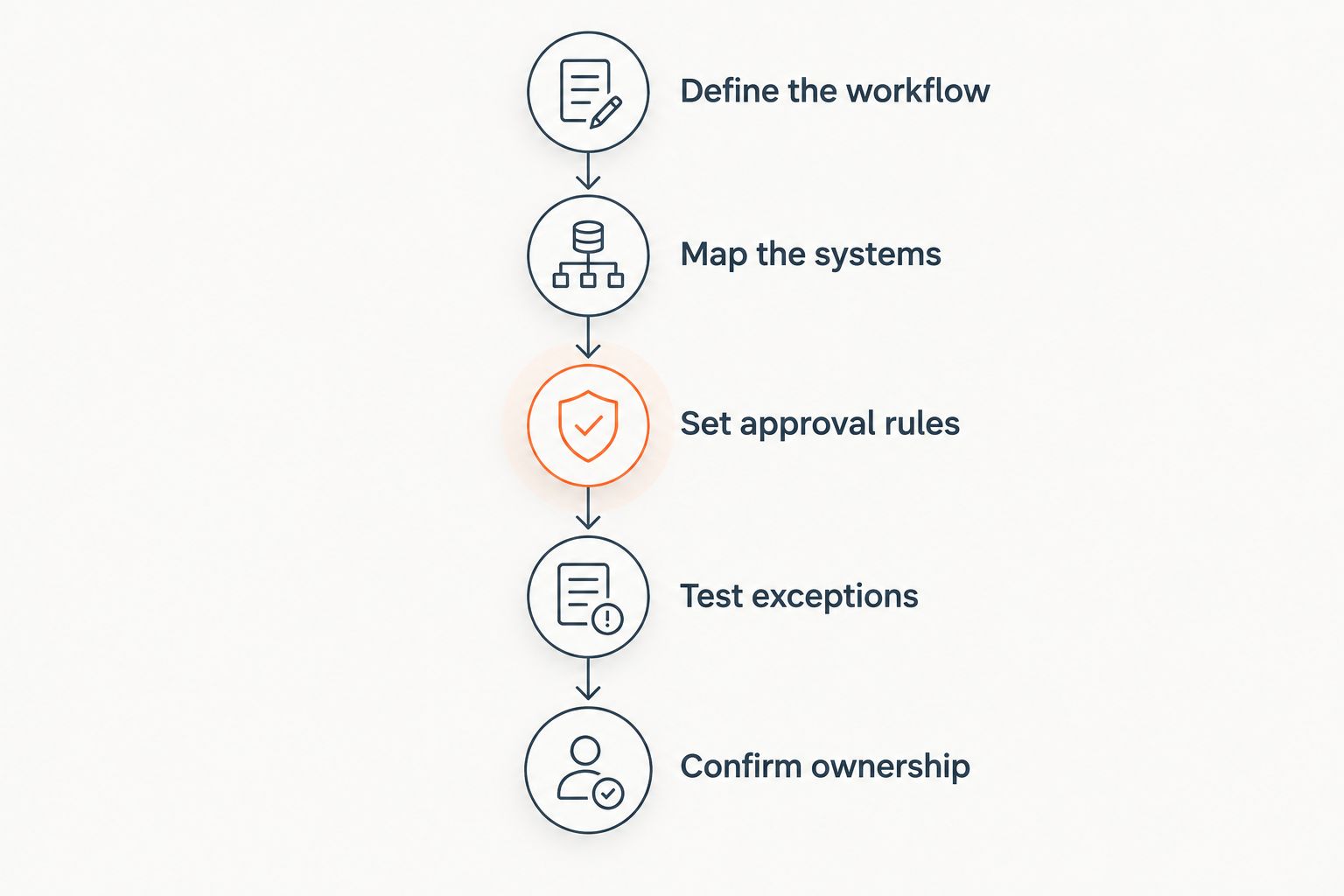
Compare proposals against the same workflow, inputs, system actions, and acceptance criteria. A feature checklist is insufficient if it does not explain how a real transaction reaches completion.
- Define the workflow. Name the starting event and the completed result. For example, distinguish preparing an order draft from creating an approved ERP order.
- Map the systems. Identify where customer records, items, quotes, and orders reside. Specify which system owns each record.
- Set approval rules. Document the actions automation can perform without review and those requiring an authorized employee.
- Test exceptions. Include incomplete requests, unmatched items, and failed updates. Require a visible owner and next action for each unresolved case.
- Confirm ownership. Agree who maintains mappings, changes rules, handles support, and accepts the completed deployment.
The sequence gives procurement a shared scope and operations a testable result. It also exposes responsibilities that a polished demonstration can leave unclear.
Is sales automation worth it for a small industrial team?
Sales automation is worth evaluating when a defined workflow consumes measurable effort and the proposed system addresses that work. Team size alone does not establish the business case. Measure the process before deciding.
For quoting, track preparation time, approval work, and corrections. For order entry, track rekeying, validation, exceptions, and reconciliation. For follow-ups, track whether assigned actions are completed and whether completed quotes receive the intended follow-up.
Judge the result by the work left after automation. Faster document capture is not a complete outcome if employees still reconstruct the transaction downstream.
Use completed transactions as the denominator when comparing operational effort. A measure per received request includes unfinished work; a measure per completed order answers a different question. State which one you use.
Should you automate inside your existing ERP and CRM?
Evaluate whether the proposed automation can perform the required workflow while preserving the responsibilities of your existing systems. Do not assume that buying sales automation requires replacing the ERP or CRM.
Write down where approved customer, item, quote, and order information belongs. Then require the proposal to explain how it reads that information, submits changes, and reports failures.
For your 2026 review, test the handoff rather than accepting a generic integration claim. Check that the intended record arrives correctly, that repeated processing does not create unintended duplicates, and that an employee can identify unresolved transactions.
Where Supplyco fits
Supplyco provides an AI-powered revenue operations platform that automates quoting, order entry, account management, and sales follow-up for industrial manufacturers and distributors. Supplyco is built for manufacturers and distributors automating industrial revenue operations.
Supplyco sales automation is relevant when your evaluation spans those operational workflows. The stated scope gives you concrete processes to assess, but it does not replace a proposal that defines your system connections, approval boundaries, and implementation responsibilities.
Ask for a demonstration using a workflow your team can validate. Evaluate both successful transactions and exceptions, and require the written scope to match the demonstrated result.
FAQ
How much does sales automation software cost in 2026?
Sales automation software has no universal cost in 2026; evaluate the subscription, deployment, system connections, and ongoing administration together. Compare written proposals against the same workflow and acceptance criteria.
What should a sales automation budget include?
A sales automation budget should include contracted recurring commitments, deployment work, and your team's operating effort. Separate configuration, integration, testing, training, and support responsibilities.
Is ERP integration included with sales automation software?
Treat ERP integration as included only when the agreement explicitly lists it. Require the scope to name the records, permitted actions, validation rules, and failure-handling responsibilities.
Should I compare sales automation by user licenses?
Compare user licenses alongside workflow coverage and the vendor's stated billing basis. A license comparison alone does not show whether quoting, order entry, or required system connections are included.
How do I measure whether sales automation is worth it?
Measure the manual effort remaining after the automated workflow completes. Track preparation, review, exceptions, corrections, and reconciliation using the same definitions before and after deployment.
Does sales automation replace my ERP or CRM?
Sales automation does not inherently require replacing your ERP or CRM. Confirm the proposed system architecture, record ownership, and transaction responsibilities before purchasing.
Is Supplyco relevant for manufacturing sales automation?
Supplyco is relevant for industrial manufacturers and distributors evaluating automation for quoting, order entry, account management, and sales follow-up. Assess its proposed deployment against your actual workflow and system requirements.
One last thing
Before approving a 2026 purchase, ask the vendor to show what happens when the workflow cannot complete. Watch where the failed transaction appears, who receives it, and what information that person needs to resolve it.
Exception handling belongs in the buying decision, not in the cleanup plan. A workflow is not operationally complete until your team knows how to finish the work it leaves unresolved.


