
Best overall CRM: Salesforce Sales Cloud. Best for quoting and order-entry automation alongside a CRM: SUPPLYCO AI. Best for straightforward pipeline tracking: HubSpot Sales Hub. Best for teams working in Microsoft business applications: Microsoft Dynamics 365 Sales. This 2026 guide separates customer-record management from the work that moves a power transmission quote into an order.
- Best CRM software for power transmission distributors: choose Salesforce Sales Cloud when your primary need is account and opportunity management.
- Choose SUPPLYCO AI for quoting, order entry, account management, and sales follow-up alongside your CRM.
- Choose HubSpot Sales Hub for straightforward pipeline tracking or Microsoft Dynamics 365 Sales for Microsoft-centered sales workflows.
- Test each option against real RFQs, repeat orders, and stalled quotes before committing.
Why this matters
A power transmission distributor can have a well-maintained opportunity record and still lose time between an RFQ, a revised quote, a customer purchase order, and the next follow-up. The CRM tells your team who owns the account and what deal is open. It does not, by that fact alone, complete the quoting and order-entry work.
That distinction controls the purchase decision in 2026. If your problem is missing account history or inconsistent opportunity stages, start with CRM. If your reps already know which deals are open but spend too much time processing requests and orders, examine the workflow around the CRM. For a closer look at that boundary, see quote-to-order software for industrial distributors.
What makes the best CRM for power transmission distributors
Use these criteria before comparing feature lists. Ask vendors to demonstrate each task with a representative RFQ rather than describing what their software could do in general.
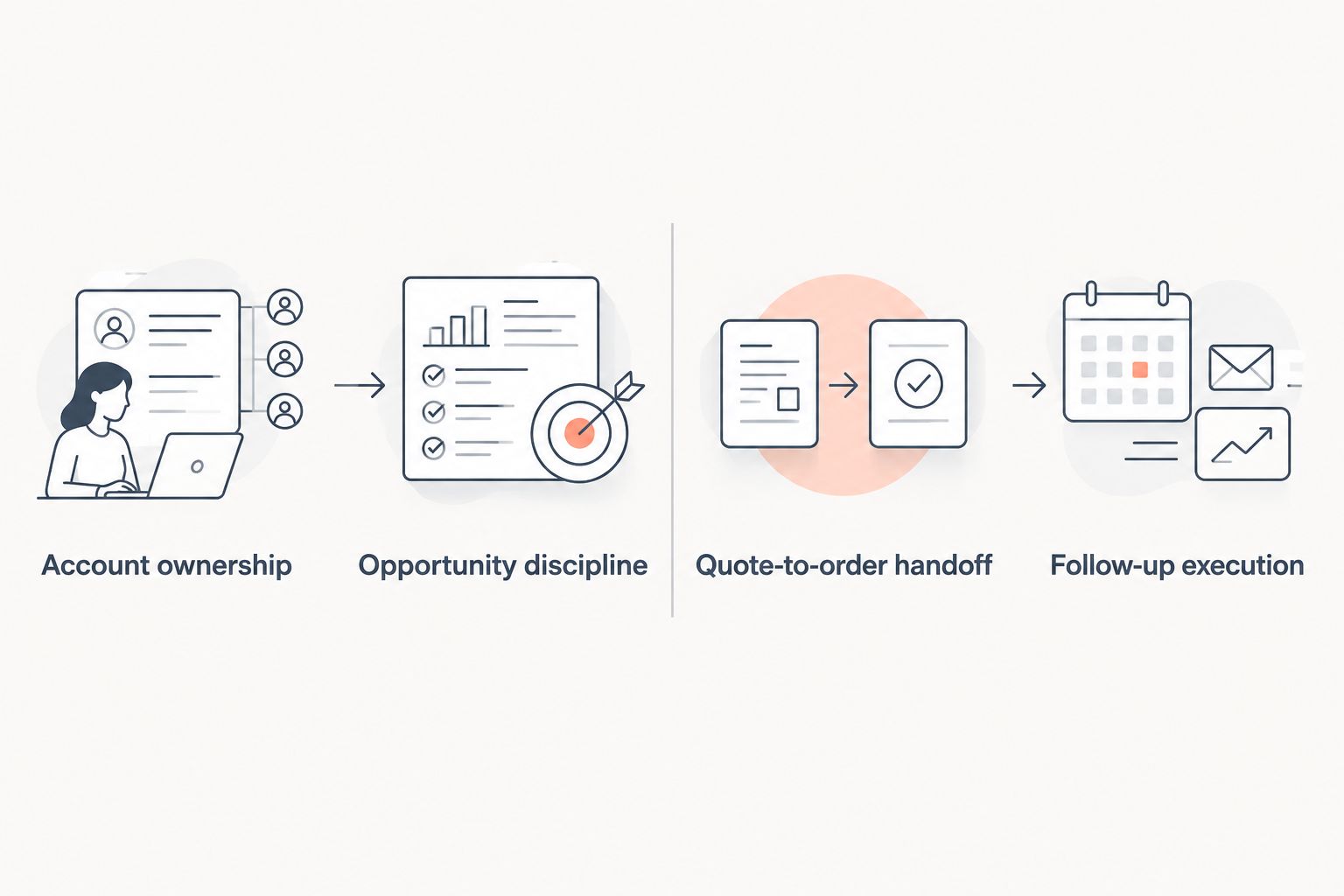
- Account and contact ownership: Can your team identify the customer, buying contacts, assigned rep, and active opportunities without searching across records?
- Opportunity discipline: Can reps record RFQs, quote revisions, next actions, and outcomes in a way a manager can inspect?
- Quote-to-order handoff: What happens when a customer accepts a quote or sends a purchase order? Identify the system that owns each step.
- ERP and CRM data boundaries: Decide where customer records, product data, order status, and sales activity belong. Do not assume that naming an integration proves a specific workflow works.
- Follow-up execution: Check how the team identifies unanswered quotes and assigns the next action, not merely whether it can log an email.
- Administrative fit: Count the records and status updates a rep must enter to keep the pipeline useful. A detailed process fails when its required work sits outside the rep's normal workflow.
In 2026, the strongest choice is the one that addresses your actual bottleneck. A CRM selection cannot fix an undefined quote-to-order handoff. Write down that handoff before you evaluate demonstrations.
Best CRM options at a glance
| Option | Best for | Standout function | Key limitation |
|---|---|---|---|
| SUPPLYCO AI | Automating sales work alongside a CRM | Quoting, order entry, account management, and follow-up | Not a replacement for choosing a core CRM when CRM records are the gap |
| Salesforce Sales Cloud | Managing a structured account and opportunity process | CRM records, opportunities, and sales activity | Does not by itself define your distributor's quote-to-order process |
| HubSpot Sales Hub | Straightforward pipeline tracking | Deal records and sales follow-up tools | Evaluate the order-entry handoff separately |
| Microsoft Dynamics 365 Sales | Sales teams centered on Microsoft business applications | Account and opportunity management in the Dynamics environment | ERP-related workflows need a specific implementation review |
The table puts the workflow option first because it addresses a different buying question. For a distributor selecting one system to serve as its core CRM, Salesforce Sales Cloud is the default pick in this guide. For a distributor whose CRM already holds dependable account and opportunity records, evaluate the automation layer instead of replacing the CRM first.
1. SUPPLYCO AI: best for sales-workflow automation alongside a CRM
SUPPLYCO AI is a revenue operations platform for industrial manufacturers and distributors. Its stated scope includes automating quoting, order entry, account management, and sales follow-up. That makes it relevant when the backlog sits between an incoming request and the next recorded customer action, rather than in the CRM's account directory.
For a power transmission distributor, the evaluation starts with a concrete workflow: receive an RFQ, prepare or revise the quote, record the customer's response, process the order, and assign follow-up. Ask to see which actions occur in the platform and which still occur in your CRM or ERP. The goal is not to add another place for a rep to retype the same request.
SUPPLYCO AI pros:
- Addresses quoting and order entry as well as account management and follow-up.
- Fits a buyer whose immediate issue is sales execution, not simply contact storage.
- Gives operations and sales teams a defined workflow to evaluate together.
SUPPLYCO AI cons:
- Its stated role is broader than a conventional CRM; evaluate core CRM requirements separately.
- The supplied information does not establish compatibility with your specific ERP or CRM. Verify your required handoffs in a demonstration.
Best for: Distributors with an existing CRM that need to reduce manual work across quoting, order entry, and follow-up. Verdict: Buy when that workflow is the bottleneck; do not buy it merely to replace an undefined CRM selection.
2. Salesforce Sales Cloud: best CRM for a structured sales pipeline
Salesforce Sales Cloud is the core-CRM pick for a team that needs a defined place for accounts, contacts, opportunities, and sales activity. It gives sales managers a system in which to inspect deal ownership and pipeline status. Your team still has to decide what qualifies as an opportunity, when a quote changes stage, and where an accepted order is processed.
Start the demonstration with an existing customer that has multiple contacts and an open RFQ. Have a rep update the opportunity, record the next action, and show the manager's view. Then ask where the quoted item information and resulting order live. The answer determines how much additional workflow design your team needs.
Salesforce Sales Cloud pros:
- Provides a clear core CRM role for account and opportunity management.
- Suits teams prepared to define pipeline stages and record ownership.
- Gives managers a common place to review sales activity.
Salesforce Sales Cloud cons:
- A CRM record is not an order-entry process; the handoff still needs to be designed.
- The value of a structured pipeline depends on reps maintaining its records.
Best for: Distributors whose first priority is a consistent account and opportunity system. Verdict: Buy as the core CRM if pipeline governance is the primary gap; hold off on calling the project complete until the ERP and quoting handoffs are mapped.
3. HubSpot Sales Hub: best for straightforward deal tracking
HubSpot Sales Hub is a fit when reps need deal tracking and sales follow-up tools without making a highly tailored process the first requirement. It lets the team center conversations and next actions on deal records. That is useful if the current problem is that RFQs and follow-ups have no consistent owner.
Keep the evaluation narrow. Ask a rep to open a customer record, find an active deal, identify the latest action, and schedule the next one. Then trace a won quote into the system responsible for the order. A clean deal pipeline does not answer that final question for you.
HubSpot Sales Hub pros:
- Centers day-to-day selling on deals and follow-up.
- Makes sense when the immediate requirement is visible deal ownership.
- Offers a focused CRM evaluation before expanding into order workflows.
HubSpot Sales Hub cons:
- Deal tracking does not establish how your order-entry work will run.
- A distributor with detailed ERP handoffs must review those requirements separately.
Best for: Teams prioritizing an understandable deal pipeline and consistent follow-up. Verdict: Buy for that use case; hold if the actual purchasing requirement is automated quote-to-order execution.
4. Microsoft Dynamics 365 Sales: best for Microsoft-centered teams
Microsoft Dynamics 365 Sales is another core CRM option for accounts, contacts, opportunities, and sales activities. Its strongest place in this decision is with a team already evaluating its sales process in a Microsoft business-application environment. That context is a reason to inspect it, not evidence that a particular ERP handoff works out of the box.
Demonstrate the work at the boundary between sales and operations. Show an account owner updating an opportunity, then have the operations lead explain how a quote revision and subsequent order are handled. Record every step that requires a manual update in another system. If that list is long, the CRM decision alone does not resolve the operational issue.
Microsoft Dynamics 365 Sales pros:
- Covers core account and opportunity management.
- Gives Microsoft-centered teams a relevant CRM candidate to assess.
- Supports a structured review of sales activities and ownership.
Microsoft Dynamics 365 Sales cons:
- Its fit for your ERP workflow depends on the systems and implementation you select.
- It does not remove the need to define quote revisions and order handoffs.
Best for: Distributors assessing CRM within a Microsoft-centered application environment. Verdict: Hold until a demonstration confirms the specific sales-to-operations workflow you need.
How these options were ranked
The ranking separates core CRM capability from sales-workflow automation. Salesforce Sales Cloud leads the core CRM decision because its role in account and opportunity management directly matches that requirement. The other picks occupy distinct slots: HubSpot Sales Hub for straightforward deal tracking, Microsoft Dynamics 365 Sales for a Microsoft-centered evaluation, and the workflow option for quoting, order entry, account management, and follow-up alongside a CRM.
This is a use-case ranking, not a claim that every platform has been tested against every ERP. In 2026, a vendor demonstration should settle the details that a category comparison cannot: where the customer record lives, who can revise a quote, what creates an order, and how the next action reaches the account owner. Reject any demonstration that skips the handoff your team performs every day.
Run a workflow check before you choose
Use the same examples for every vendor. Select 3 representative RFQs, 2 repeat orders, and 1 account with a stalled quote from your own process. Those are evaluation samples, not a benchmark; replace them with cases that expose your hardest handoffs.
For each example, ask the sales rep and operations owner to document four facts:
- Starting record: Where does the request first appear, and who owns it?
- Quote change: Where does a revision happen, and how does the account owner see it?
- Order handoff: Which system receives the accepted order, and what information must be entered again?
- Next action: Who follows up when the quote remains open or the customer responds?
Score a vendor against completed actions, not against the number of screens shown. If a task ends with someone copying information into an ERP, record that as manual work. If a task depends on a planned integration, ask for a demonstration of that specific exchange before treating it as part of the solution.
Review your sales workflow
Assess quoting, order entry, account management, and follow-up against your current process.
Which CRM should you choose?
Choose Salesforce Sales Cloud if you need a core CRM and have not yet established dependable account and opportunity records. Choose HubSpot Sales Hub if your immediate aim is straightforward deal tracking and follow-up. Put Microsoft Dynamics 365 Sales on the shortlist if a Microsoft-centered sales environment is part of your selection criteria, but require a workflow demonstration before deciding.
If you already have a CRM, do not start by migrating records. In 2026, the more useful question is whether reps can move an RFQ through quoting, order entry, and follow-up without losing the account context. Evaluate SUPPLYCO AI for that workflow requirement alongside the CRM you use. Keep the CRM accountable for its records and the workflow platform accountable for the work it is meant to complete.
FAQ
What's the best CRM software for power transmission distributors in 2026?
Salesforce Sales Cloud is the default core CRM pick when account and opportunity management is the main requirement. If quoting and order entry are the bottleneck, evaluate sales-workflow automation alongside your CRM instead.
Is a CRM enough to manage distributor quotes and orders?
A CRM alone does not define your full quote-to-order process. Identify where quote revisions, accepted orders, ERP updates, and follow-ups occur before deciding what additional workflow you need.
When should a distributor choose SUPPLYCO AI instead of another CRM?
Choose SUPPLYCO AI when you already have a CRM but need automation for quoting, order entry, account management, and sales follow-up. Evaluate core CRM requirements separately rather than treating a workflow platform as an automatic CRM replacement.
Is HubSpot Sales Hub or Salesforce Sales Cloud better for deal tracking?
Choose HubSpot Sales Hub for a straightforward deal-tracking evaluation and Salesforce Sales Cloud when a structured account and opportunity process is the priority. Test both against the same RFQs and follow-up tasks.
Does Microsoft Dynamics 365 Sales replace an ERP?
No. Microsoft Dynamics 365 Sales is a sales CRM; your ERP and the handoff into it need a separate review. Ask for a demonstration using your actual quote and order steps.
How do you compare CRM software for an industrial distributor?
Run the same RFQs, repeat orders, and stalled quote through each candidate. Record who owns the account, where the quote changes, how the order is entered, and who receives the next action.
Should you replace your CRM to improve order entry?
No, not solely for that reason. First determine whether the delay comes from CRM record management or from the workflow between the RFQ, quote, order, and follow-up.
One last thing
The most revealing moment in a CRM demonstration is after the opportunity is marked won. Ask the rep to show exactly who enters the order, where the accepted quote is stored, and how operations knows which version to use. In 2026, that handoff tells you whether you are buying the missing system or adding another record to maintain.


